Quick answer:
Leaning forward while typing happens because your screen and keyboard are not aligned, causing your body to move closer to see and type comfortably. Over time, this creates a forward head position known as tech neck, where the neck and shoulders shift forward to support how you work.
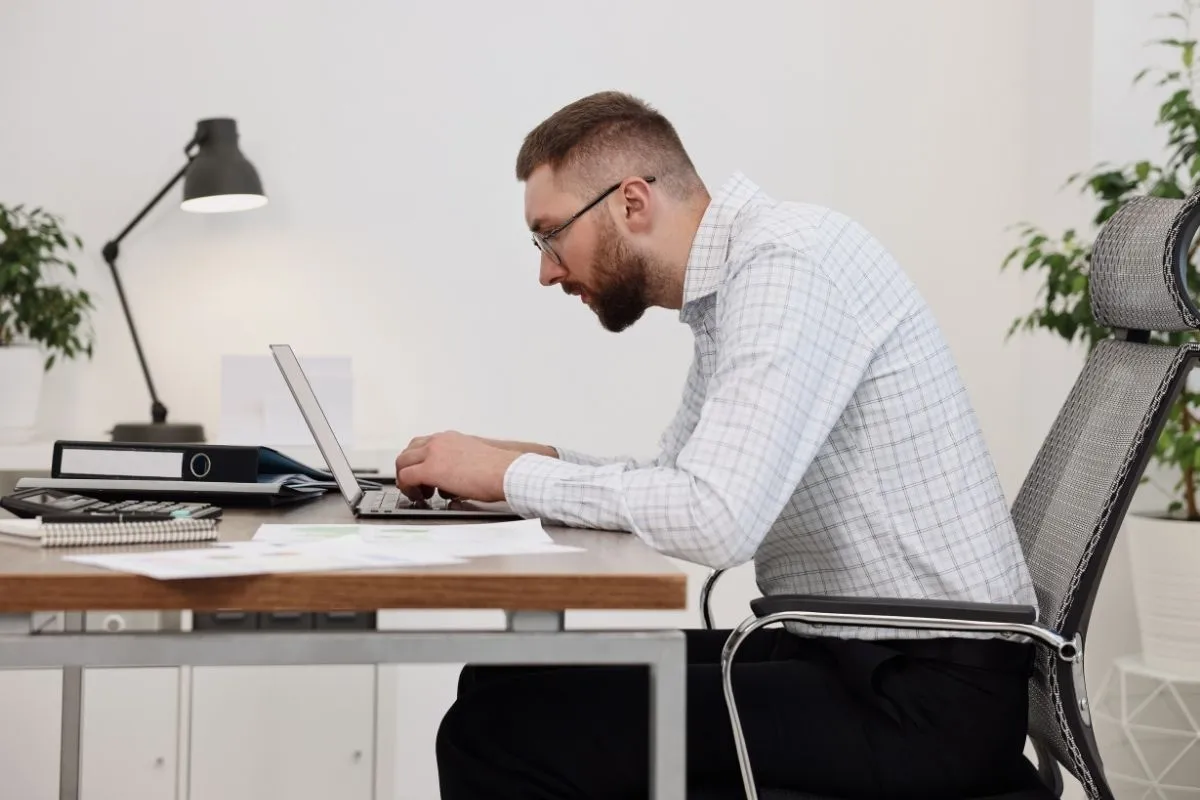
You start working in a normal position, but after a few minutes, you’re sitting closer to the screen.
Your head moves forward. Your shoulders follow.
Most people don’t notice this happening until they stop and check their posture.
You don’t decide to sit like that.
It just happens.
Keep reading to understand what tech neck is, or jump straight to what actually helps →See the solution
Why your posture changes when you type
Leaning forward while typing is not something people usually do on purpose. It tends to happen as a natural response to how we use a computer.
When working at a screen, your eyes focus on the content, your hands move across the keyboard, and your body adjusts to connect the two. This often leads to a slight forward shift of the head.
Once the head moves forward, the shoulders and upper back follow to maintain balance. Over time, this creates a more consistent forward-leaning position while typing.
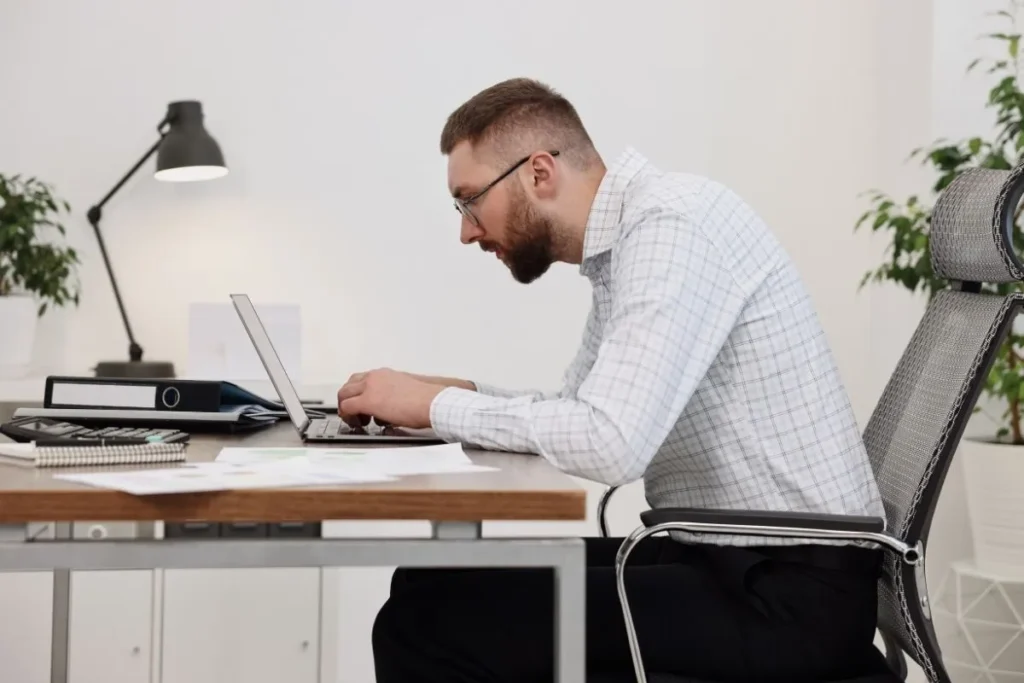
A typical forward-leaning position during focused work.
For people that don’t touch-type, this issue becomes even more pronounced. Looking at the keyboard pulls the head down and forward, reinforcing the same posture throughout the day.
In this context, leaning forward is not simply a matter of “bad posture”. It is a practical adjustment that helps maintain visibility and reach while working.
The problem is that, when repeated over long periods, this position gradually becomes the default.
What is Tech neck (and why it happens at your computer)
Tech neck refers to a forward head position that develops from prolonged use of computers, phones, and other screens.
In a neutral posture, the head is balanced above the spine, which allows the neck and upper back to support it with minimal effort.
When working at a computer, this alignment often changes. The head moves slightly forward, and the neck and shoulders adjust to support that position.
Studies show that even a small forward tilt can significantly increase the load on your neck (Hansraj, 2014), which is why these small posture changes matter over time.
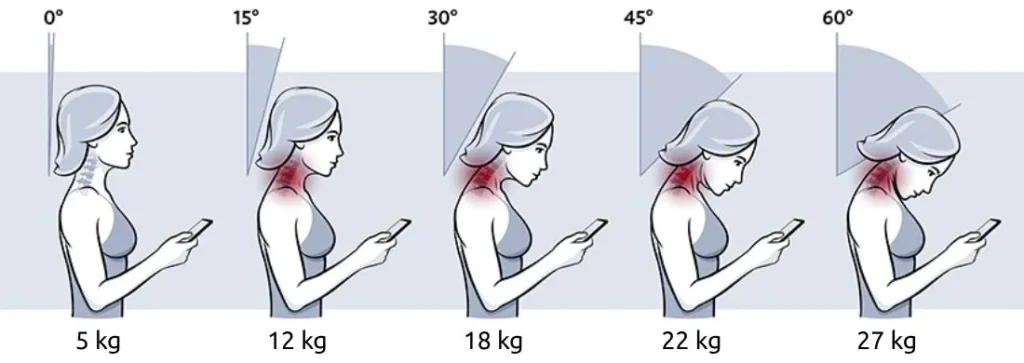
The more your head tilts forward, the greater the load on your neck.
This shift usually doesn’t happen all at once. It develops gradually through repeated habits during everyday tasks like typing, reading, and looking between the screen and the keyboard. Over time, the forward position becomes more consistent, especially during longer periods of focused work.
One of the main reasons this happens at a computer is the combination of visual demand and input. You are constantly:
- focusing on the screen
- interacting with the keyboard
- adjusting your position to connect the two
If the setup is not aligned with your body, the easiest way to maintain both visibility and control is to move slightly forward.
In that sense, tech neck is not caused by a single mistake. It is the result of small, repeated adjustments that make computer use more efficient in the short term but gradually change posture over time.
Early signs of tech neck and typing posture problems
The early signs of Tech neck are usually subtle. They don’t appear as sharp pain, but as small changes in how your body feels and behaves during work.
One of the first things people notice is tension in the neck and shoulders, especially after longer periods at the computer. This tension often builds gradually and becomes more noticeable at the end of the day.
Another common sign is the need to constantly readjust your position. You may find yourself:
- sitting up, then leaning forward again
- shifting in your chair to get comfortable
- moving closer to the screen without realizing it
Over time, the upper back can start to feel tight or fatigued. This is a result of the muscles working to support a forward position for extended periods.
In some cases, the effects go beyond the neck and shoulders. A forward-leaning posture can slightly reduce how freely you breathe, which may contribute to a feeling of fatigue during focused work.
Quick check: do you have tech neck from working at a computer?
✓ You often find yourself leaning closer to the screen while working
✓ Your neck or shoulders feel tense after longer periods at the computer
✓ You regularly adjust your position to get comfortable
✓ You look down at your keyboard while typing
✓ You feel more fatigued after focused screen work
If you recognize several of these, your setup is likely pulling you forward.
These signs are easy to ignore because they develop slowly and are often seen as a normal part of desk work. But they usually indicate that your working position is no longer neutral, and that your body is adapting to it.
Why focusing only on your posture doesn’t work long term
When people notice discomfort from typing, the most common advice is to “sit up straight”. And at first, this can help. You become more aware of your position and temporarily correct it.
But the issue is that posture is difficult to maintain through conscious effort alone.
This is similar to how ergonomic chairs work, as we explain in our article on do ergonomic chairs help with back pain, they don’t solve the underlying problem on their own.
You can adjust your position for a few minutes, but as soon as your attention returns to work, your body naturally shifts back to what feels easiest.
This is because posture during typing is not static. It constantly adjusts based on what you are looking at and how you are using your hands.
Your setup matters more than your posture
Your working position is largely determined by your environment.
The height and distance of your screen, the position of your keyboard, and how you interact with both all influence how your body aligns. We explain this in more detail in our guide on computer posture and neck pain.
If your setup encourages a forward position, maintaining an upright posture requires continuous effort. In practice, this is difficult to sustain over longer periods.
A better way to prevent tech neck while typing
Most advice around discomfort at the computer focuses on posture. However, as we’ve seen, posture is not something you hold in place. It is the result of how you interact with your workspace and especially how you type.
Keeping your body back while typing
If leaning forward is a result of how you interact with your keyboard and screen, then the solution is not to constantly correct your posture, but to change that interaction. The goal is to reduce the need for your body to move forward in the first place.
This means:
- maintaining a consistent distance from the screen
- avoiding frequent shifts between looking down at the keyboard and looking up at the screen
- reducing the need to lean forward while typing
When these conditions are met, staying in a more neutral posture requires significantly less effort.
Eliminating the need to look down at the keyboard
For many people, especially those who don’t touch-type, typing involves frequent glances at the keys. This is one of the main reasons the head moves forward and down during work.
And if leaning forward is driven by the need to see both the screen and the keyboard, the most effective solution is to remove that conflict. Instead of adjusting your posture, the goal is to make typing possible without having to look down.
A typing setup designed to support your posture
One way to address this is to change where you see the keyboard, not just where it is placed.
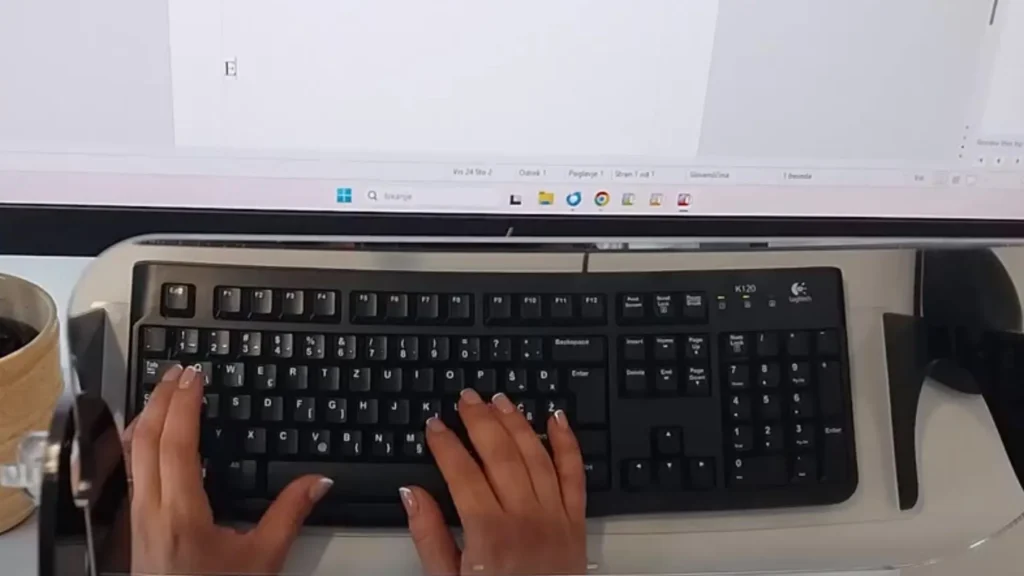
Viewing the keyboard within your line of sight reduces the need to lean forward during typing.
Instead of looking down at the keys, the keyboard can be viewed as a reflection positioned below the screen. This brings the visual reference of the keys closer to your natural line of sight.
In practice, this means you can monitor your typing while still looking forward, without lowering your head or shifting your posture. And while it may seem unusual at first, it directly solves the main reason people lean forward while typing.
This is the principle behind Elitype MIRROR. See how it works in practice↓
Conclusion:
Leaning forward while typing is not just a posture issue.
It is a natural response to how you interact with your screen and keyboard. Over time, this pattern can lead to Tech neck and the small signs that come with it.
As long as your setup requires you to look down or reach forward, your body will keep adapting in the same way. The more effective approach is to remove that need, so a more neutral posture becomes the default, not something you have to maintain.
Frequently asked questions
Here are the most common questions about tech neck and leaning forward while typing. And if you have more questions about your setup or want help improving your workspace, feel free to reach out at info@elitype.com. We’re happy to help you find a setup that actually works.
Why do I lean forward while typing at a computer?
Leaning forward usually happens because your eyes, hands, and screen are not aligned.
To see clearly and type comfortably, your body moves closer, often without you noticing.
Is leaning forward while typing bad for you?
Occasionally, it’s not a problem.
But over time, a consistent forward-leaning position can contribute to Tech neck and increased tension in the neck and shoulders.
Can I fix this by sitting up straight?
Not long term.
You can correct your posture temporarily, but if your setup still requires you to look down or reach forward, your body will return to the same position.
Why is looking at the keyboard a problem?
Looking down at the keyboard pulls your head forward and down.
If this happens repeatedly, it reinforces a forward-leaning posture throughout the day.
How can I type without leaning forward?
The key is to remove the need to look down while typing.
This can be done by touch-typing or by using setups that allow you to see the keyboard within your natural line of sight.
Do I need to touch-type to avoid leaning forward?
Not necessarily.
Touch-typing helps because it reduces the need to look down at the keyboard. However, many people don’t use it consistently, especially during focused or fast-paced work.
An alternative is to use a setup that allows you to see the keyboard without lowering your head, such as mirrored typing system Elitype MIRROR.