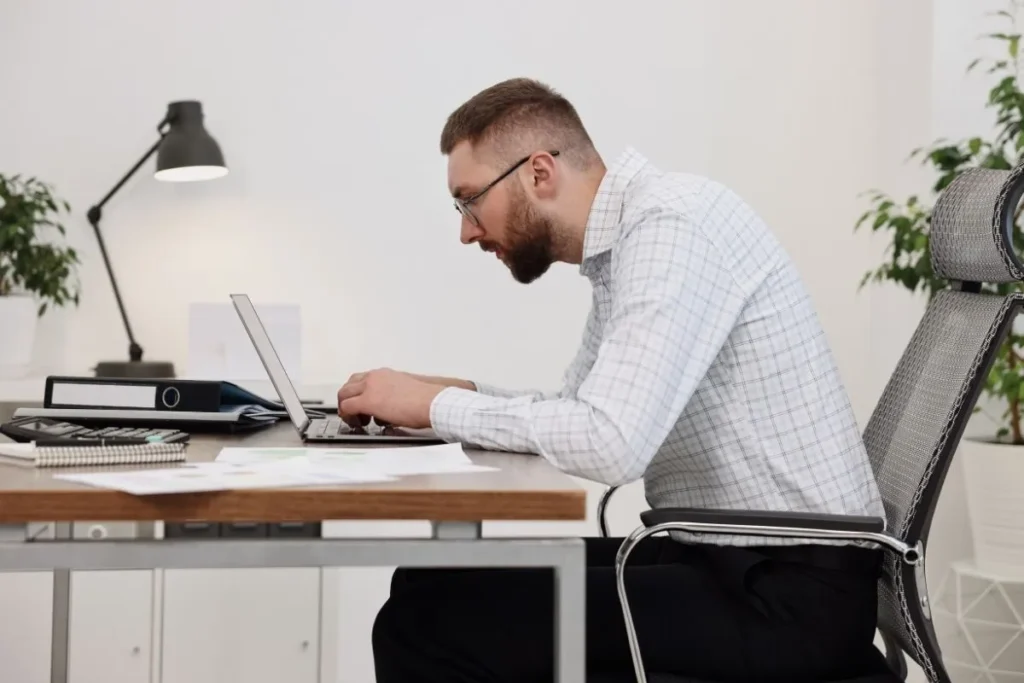
Computer posture: why your setup causes neck pain
Most solutions focus on the chair.
We focus on what happens above the desk — where posture actually breaks down.
Neck pain during computer work is often caused by repetitive looking down at the keyboard or documents.
But posture is not just about sitting upright.
It’s shaped by how your keyboard, documents, and line of sight are positioned — especially during real work.
Neck pain during computer work is most often caused by repeatedly looking down at the keyboard or documents. This leads to forward leaning and continuous strain on the neck and shoulders. Improving computer posture is not just about sitting upright. It also depends on how your workspace is arranged, especially the position of your keyboard, documents, and line of sight.
IS YOUR COMPUTER POSTURE REALLY STABLE?
Why you still have neck pain at your desk
Your posture may feel correct at first — but it changes without you noticing.
You sit upright, adjust your chair, and try to maintain good posture. But the discomfort returns.
Neck pain, stiffness in the shoulders, and fatigue often appear after hours of focused work. Not because you are sitting incorrectly. Your posture simply doesn’t stay the same while you work.
Even with a good ergonomic chair, your body slowly shifts forward throughout the day. This happens without you noticing it.


WHAT HAPPENS DURING REAL WORK?
Your posture doesn’t fail. Your setup does.
Most ergonomic advice focuses on how you should sit. But real work does not happen in a fixed position.
When you work at a computer, your attention constantly shifts between the screen, the keyboard, and sometimes documents.
This is where traditional ergonomic advice often falls short.
Looking down and leaning forward
Each time you look down at your keyboard or documents, your head moves slightly forward. This repeated movement gradually shifts your posture out of alignment.
Keyboard position pulls your body forward
If the keyboard is too high, too flat, or too far away, your arms extend forward. Over time, this pulls your upper body away from a neutral position.
Documents create constant movement
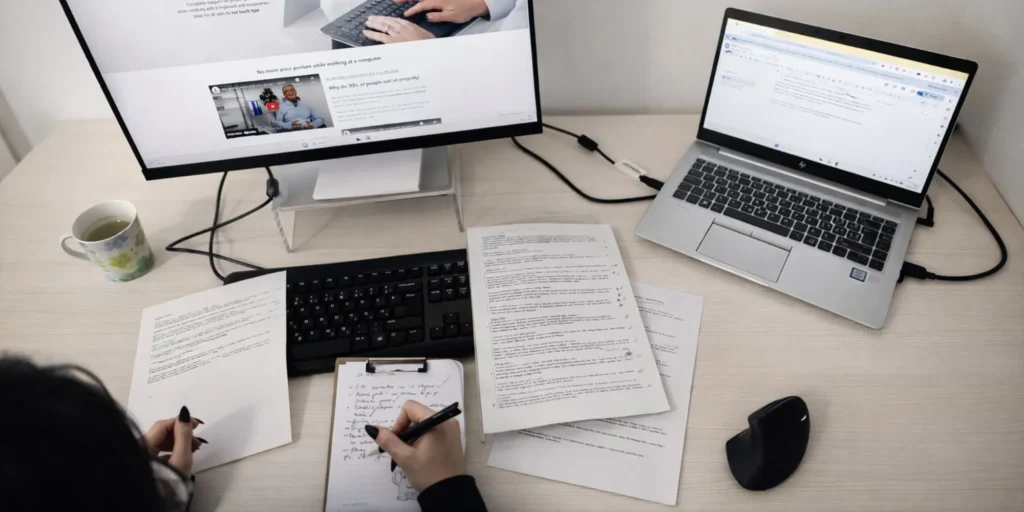
When documents are placed on the desk, your gaze repeatedly moves down and back up to the screen. These small movements accumulate and increase strain on the neck and shoulders.
Even well-designed ergonomic office chairs and standing desks cannot fully solve this problem.
They support your posture, but they do not shape how it behaves during real work.
What happens above your desk
Above-desk ergonomics: the missing piece
Most ergonomic advice focuses on how you sit.
But real work happens above the desk — where your eyes, hands, and attention constantly move.
This is where posture is lost.
Small adjustments can make a significant difference.
When the position of your keyboard, documents, and line of sight is aligned, your posture becomes more stable and requires less effort to maintain.

HOW ENTIRE SETUP WORKS TOGETHER
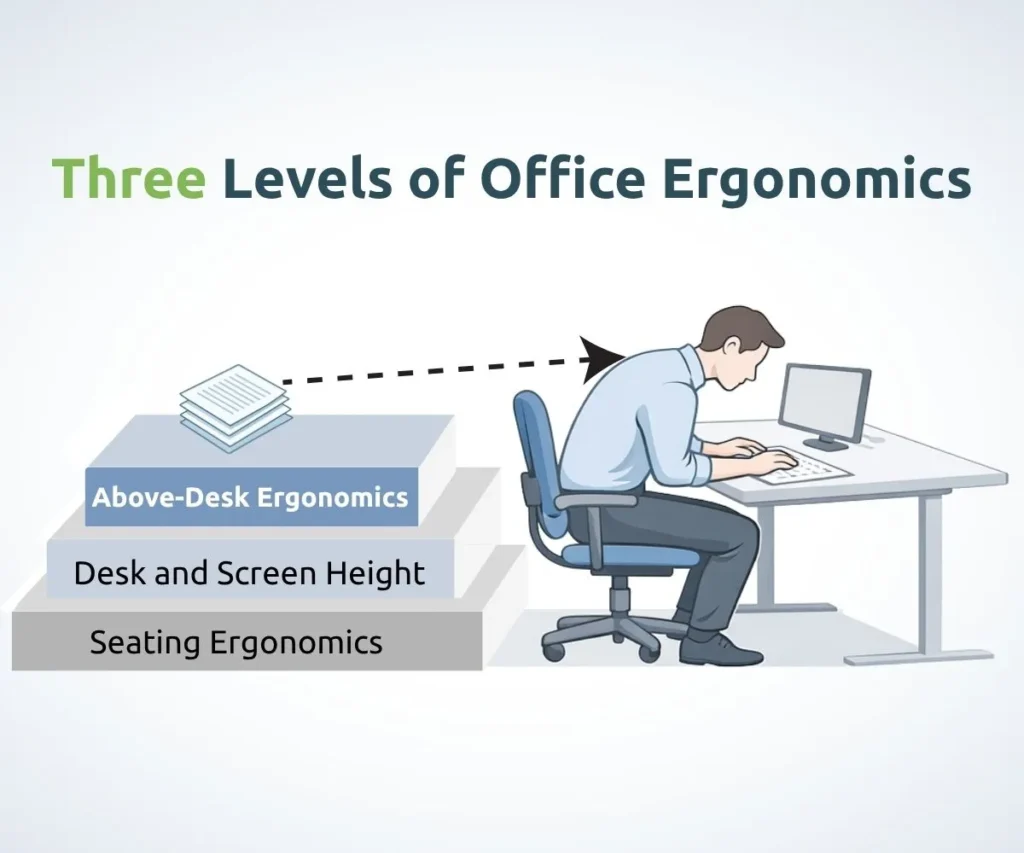
The three layers of ergonomics
To truly understand posture, we need to look beyond a single product.
Posture is shaped by three layers:
1. The chair (foundation)
Supports your body — but only when you use it.
2. The desk setup
Defines where your hands and arms work.
3. Above the desk (vision & interaction)
Where your gaze moves between screen, keyboard, and documents.
If one layer is missing, the system breaks.
WHERE YOUR GAZE IS DIRECTED
Head & neck alignment
When you look down for extended periods, your head naturally moves forward. This places continuous strain on the neck and upper back.
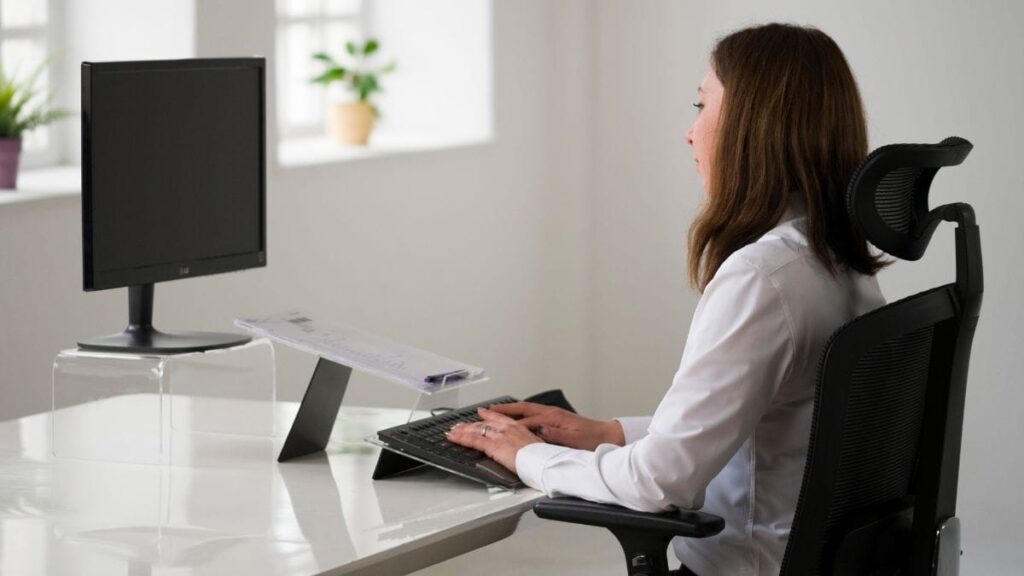
Bringing your visual focus closer to eye level helps reduce this strain and supports a more stable posture.


Most people blame their chair. The real problem is how they work.
HOW YOUR ARMS POSITION YOUR BODY
Keyboard positioning
The position of the keyboard influences how your arms and upper body are aligned. If it is too high, too flat, or too far away, your body gradually shifts forward.
Adjusting the height, angle, and distance of the keyboard helps keep your shoulders relaxed and your posture more balanced.
HOW YOUR VISUAL FLOW SHAPES POSTURE
Documents & visual flow
When documents are placed flat on the desk, your gaze constantly moves between different levels. These repeated movements increase strain on the neck and shoulders.
Raising documents closer to screen height reduces unnecessary movement and makes your work more fluid.

Together, these elements shape how your posture behaves during real work, not just how you sit.
ADJUST YOUR DESK SETUP
How to improve your posture at the computer
Improving posture doesn’t require constant effort.
It starts with changing the setup — so your body doesn’t have to compensate.
Small changes in how your keyboard, documents, and visual focus are positioned can significantly reduce unnecessary movement and strain throughout the day.

Start by bringing your visual focus closer to eye level. This helps reduce the need to look down and supports a more upright head and neck position.

Adjust your keyboard so that your arms can remain relaxed, without reaching forward or lifting your shoulders. The height, angle, and distance all play a role.

If you work with documents, position them in a way that reduces constant shifting of your gaze between different levels.
A setup that supports the position of your keyboard, documents, and visual focus can make a significant difference.
By aligning these elements, it becomes easier to maintain a stable posture throughout the day.
Computer posture, neck pain and desk setup
Frequently asked questions
What causes neck pain during computer work?
Neck pain during computer work is most often caused by repeatedly looking down at the keyboard or documents. This leads to forward leaning and continuous strain on the neck and shoulders over time.
Why does my posture change while working at a computer?
Your posture changes because your attention constantly shifts between the screen, keyboard, and documents. These repeated movements gradually pull your body out of alignment, even if you start with good posture.
Is an ergonomic chair enough to prevent neck pain?
An ergonomic chair helps support your body, but it does not control how you move during work. Posture is largely influenced by the position of your keyboard, documents, and visual focus.
How should I position my keyboard for better posture?
Your keyboard should be positioned so your arms remain relaxed and close to your body. The correct height, angle, and distance help prevent reaching forward and reduce strain on the shoulders and neck.
Where should documents be placed when working at a desk?
Documents should be positioned closer to eye level instead of lying flat on the desk. This reduces repeated downward head movement and helps maintain a more stable posture.
What is the most important factor for good computer posture?
The most important factor is how your workspace is arranged during real work. The position of your keyboard, documents, and visual focus determines how your posture behaves over time.
How can I improve my posture without constant effort?
Instead of trying to sit perfectly, adjust your workspace so it supports your body naturally. When your setup is aligned, maintaining a stable posture requires much less effort.
Can I test an ergonomic setup before making changes?
Yes. Trying a setup in your own work environment can help you understand how small adjustments affect your posture and comfort during real work.
SEE IT IN PRACTICE
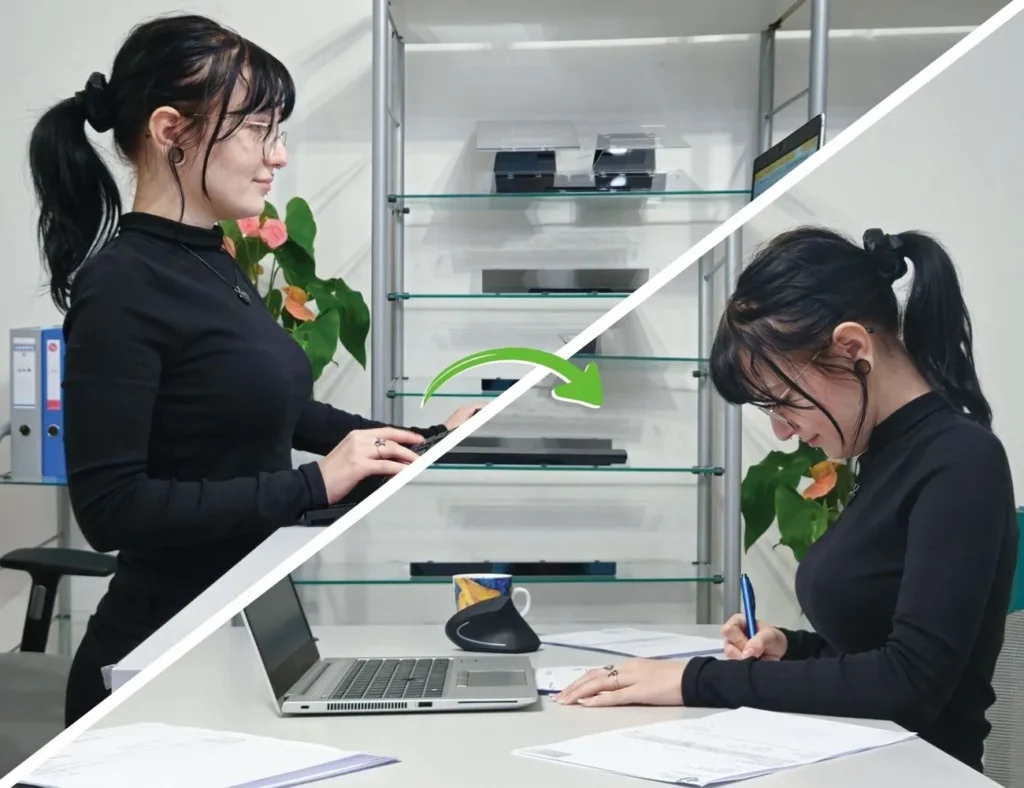
See how your posture changes when the setup works for you
See how a properly arranged workspace can support your posture during real work.